Reviewing asset types
View every asset type in your organization, where it comes from, and which collector modules populate it.
To review asset types:
In the Migration Portal, select the organization that you want to review.
In the left navigation, select Asset Types.
The table lists each asset type with its description, Origin, Module, and Instantiable (can be manually created by users).
The page also shows how many asset types are in the organization and how many are hidden because they have no MDP configuration.
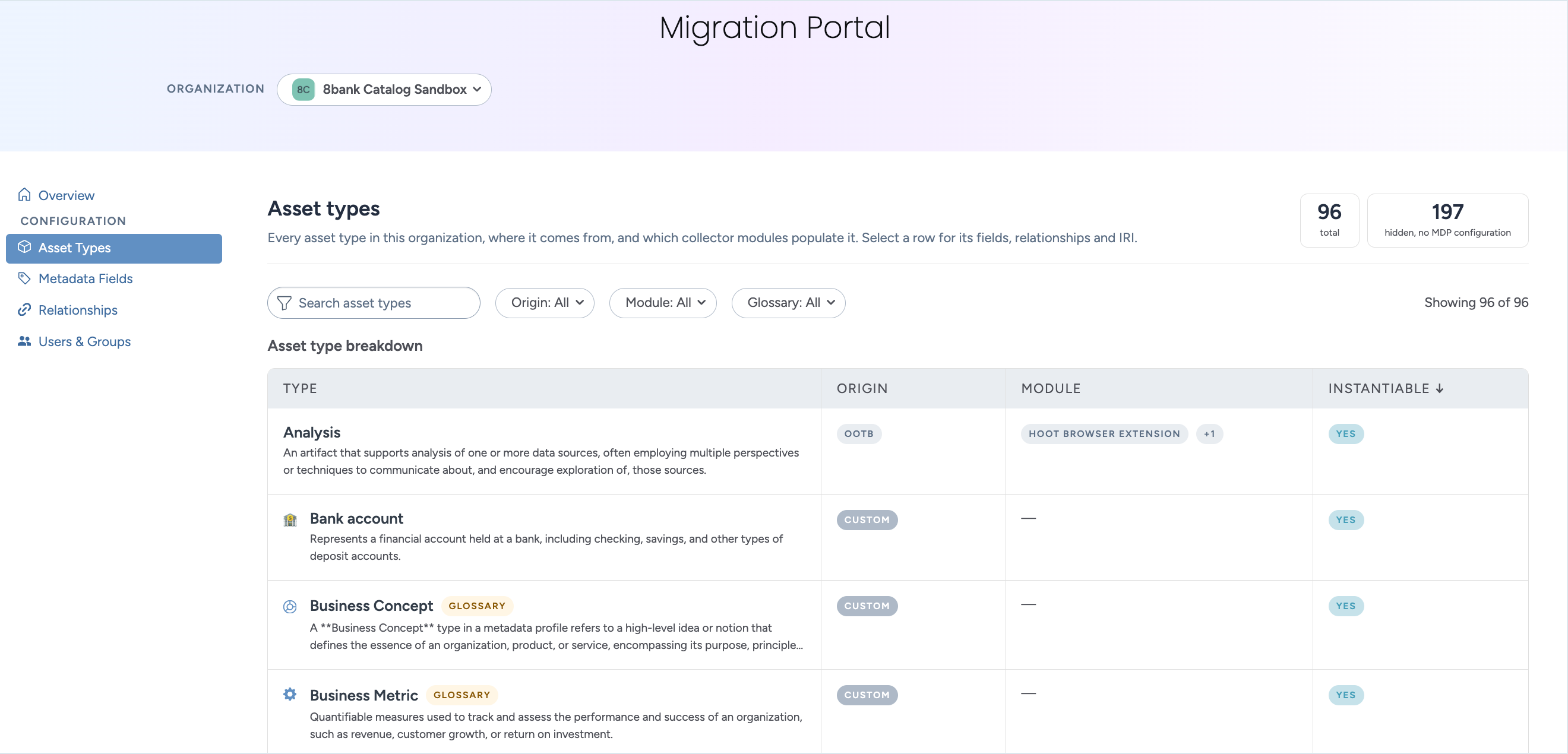
Filter the list.
Origin: Select Custom to see only the types that your organization created.
Module: Select one or more modules to see the types that they populate.
Glossary: Select glossary types or non-glossary types.
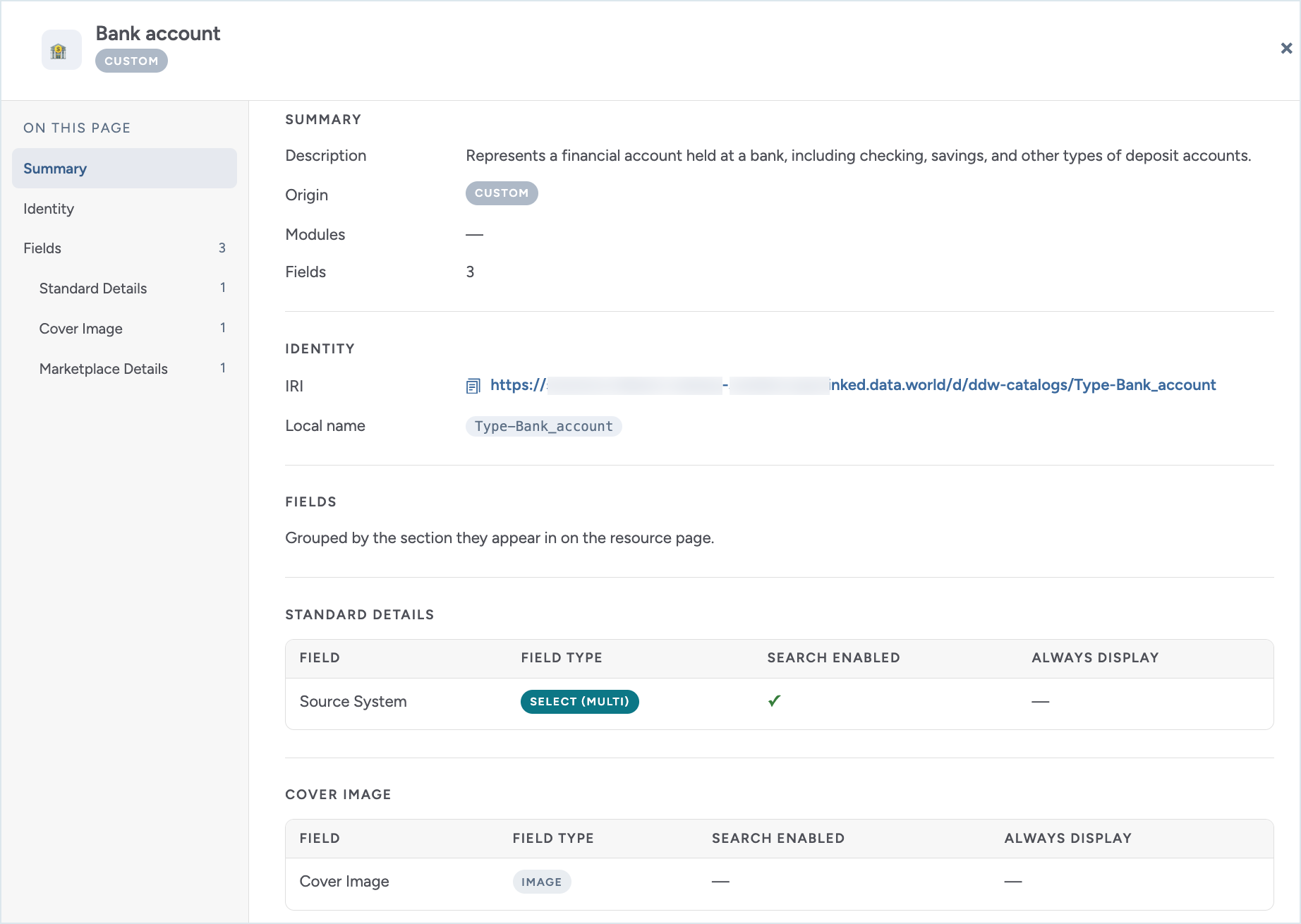
Select a row to open the details for that asset type. The details view has following sections:
Summary: The description, origin, modules, and number of fields.
Identity: The IRI and local name of the type.
Fields: The fields on the type, grouped by the section they appear in on the resource page. Each field shows its type and whether it is search enabled and always displayed.