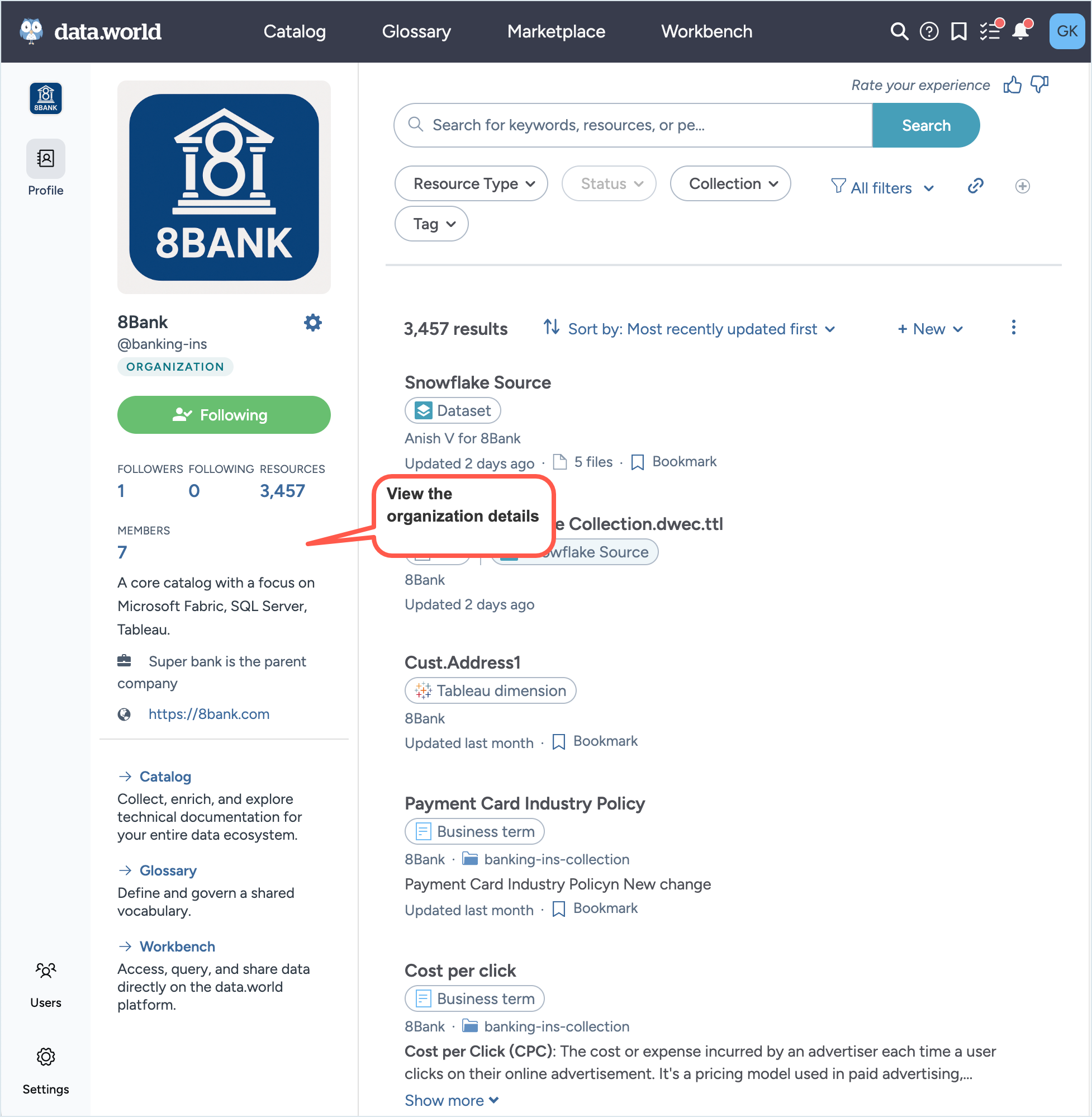
Organization profile page
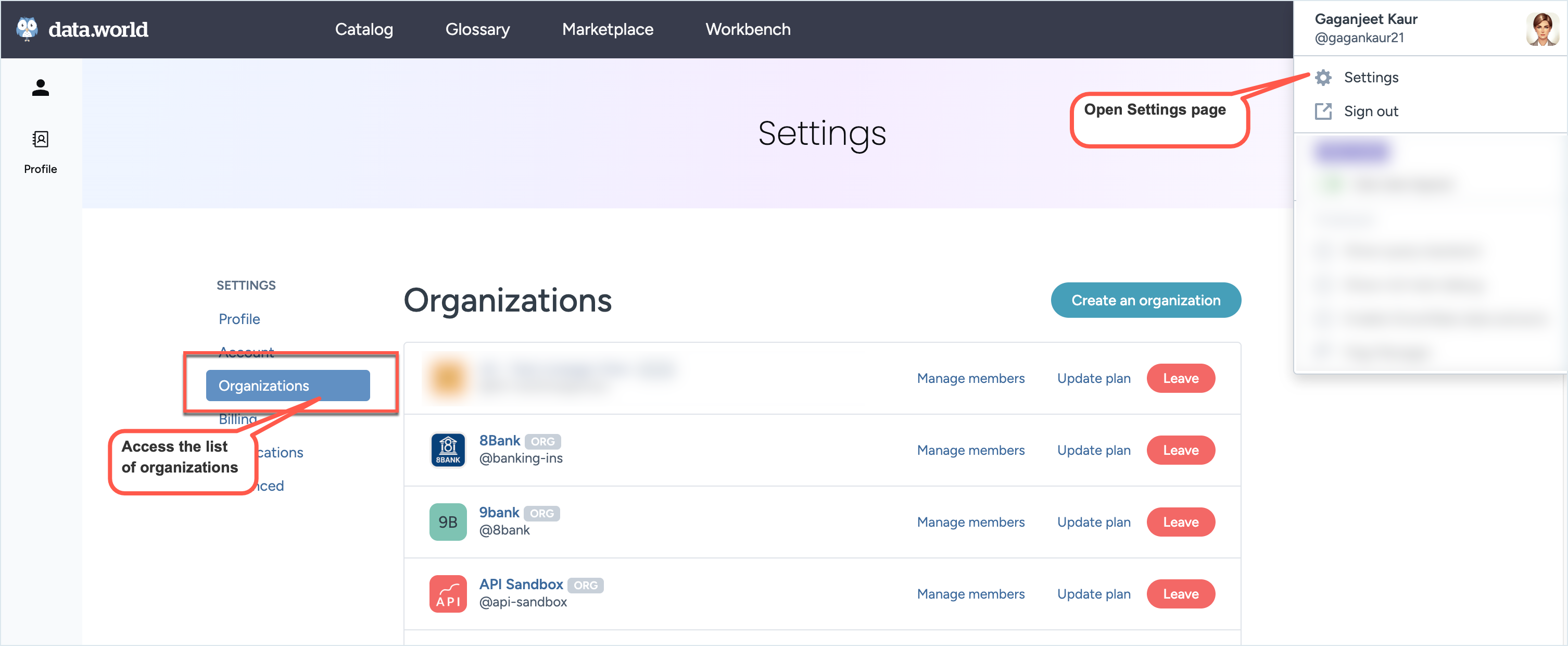
The Organization Profile page serves as the central hub for viewing and managing key details about your organization in data.world. From the User settings page > Organizations section, click the organization’s name to open its profile.
This page provides an overview that includes the total resources and total members. It also displays a brief description of the organization and a website link, if configured.
From this page, you can launch the organization’s four experiences—Catalog, Glossary, Marketplace, and Workbench.
Use the Left Sidebar to manage users, settings, and other administrative options for the organization.