Configuring the sensitive data classification module (CTK)
In this section we will walk you through the process of enable the sensitive data classification module in Catalog Toolkit . See Discover and catalog sensitive data to learn more about the Sensitive Data Classification feature available for collectors.
STEP 1: Add Sensitive Data Classification as a source in the Catalog Configuration Organization
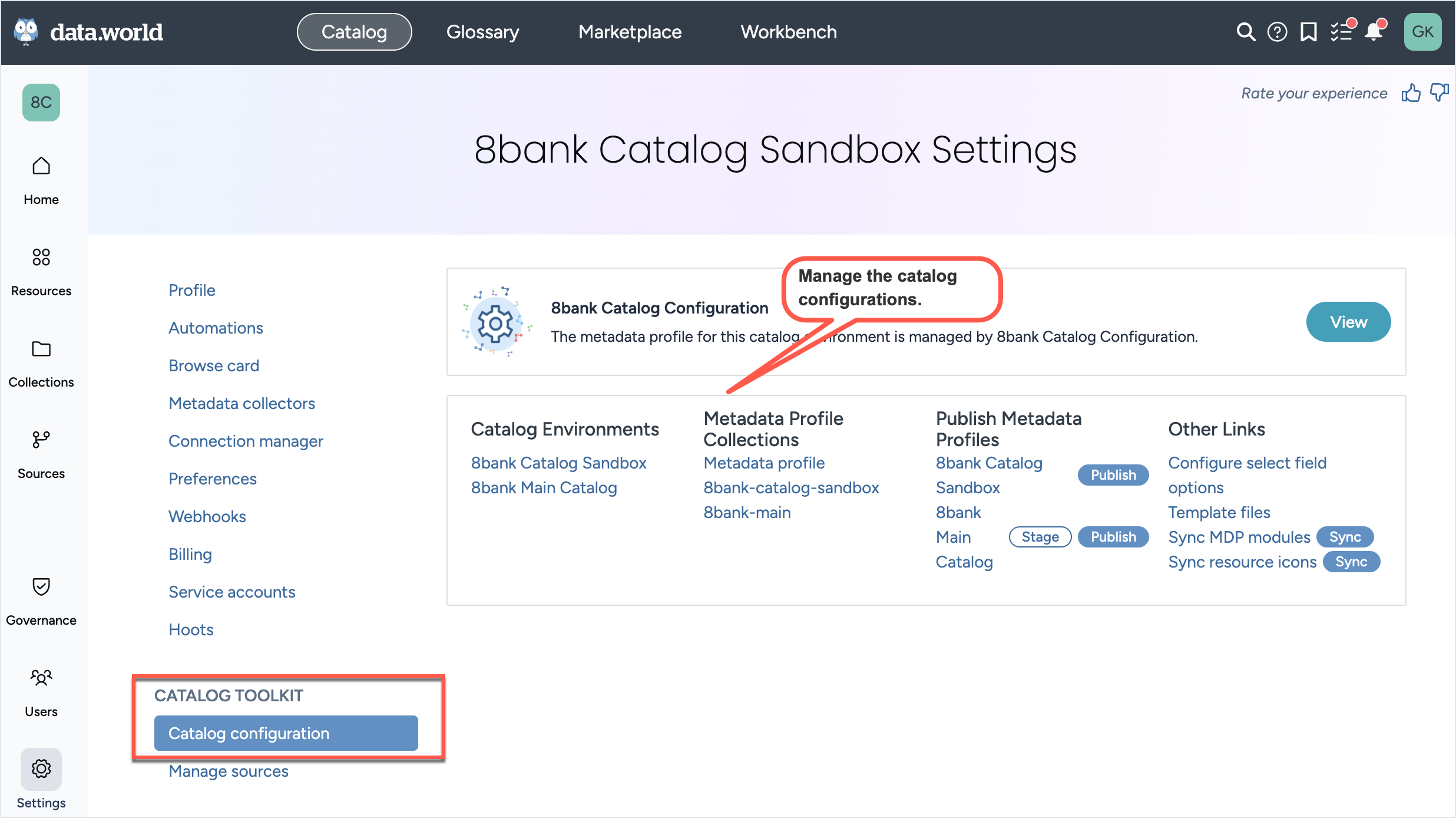
In the Sandbox or Main organization, go to the Settings page > Catalog Configuration section.
From the Metadata profile collections list, click Metadata profile to open the Metadata profile collection.
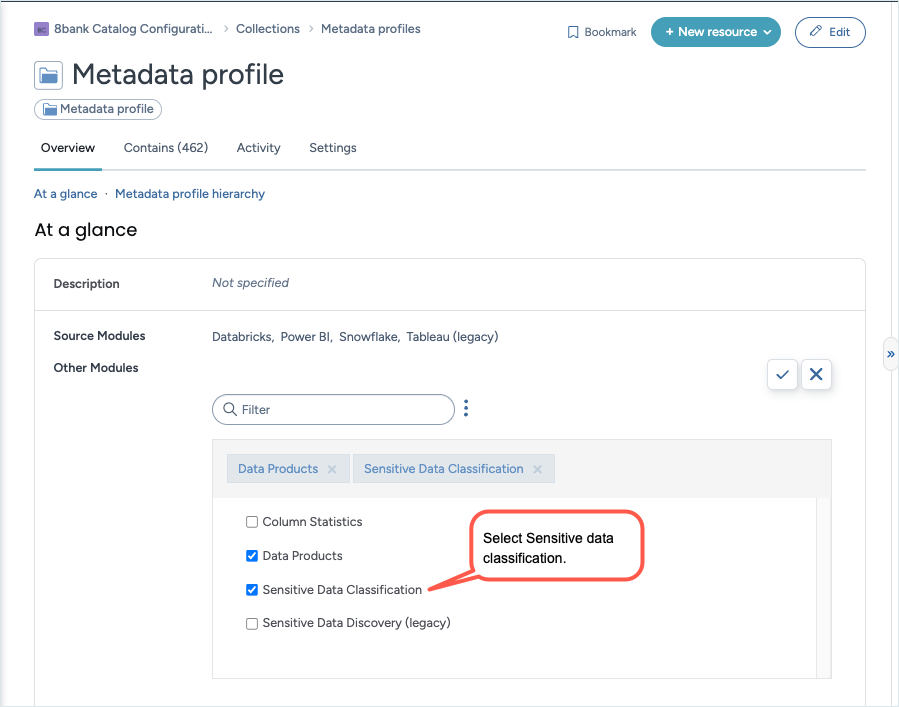
On the Overview tab of the Metadata profile collection, locate the Other Modules field and click in it to edit.
Select Sensitive Data Classification. Click Save changes.
STEP 2: Publish the metadata profile to the destination organizations
In the Sandbox or Main organization, go to the Settings page > Catalog Configuration section.
From the Other links list, click Publish next to Sync MDP modules to sync the source-modules.ttl file.
When prompted, confirm the sync.
Publish the updated metadata profile to the destination organization, following the steps outlined here.
STEP 3: Configure and run the collectors
Follow this documentation to configure and run the collectors.