Accessing quick links for Catalog Toolkit
The Settings page in both the Main and Sandbox organizations provides quick access to key metadata model tools. These quick links help Catalog administrators and governance teams efficiently navigate to the Catalog Toolkit, the interface used to manage the metadata profile and source metadata. The links allow faster access to tasks such as managing configurations, metadata profiles, and publishing updates.
To access quick links for catalog toolkit:
In the Sandbox or Main organization, browse to the Settings page.
On the Settings page, in the Catalog configuration section, access the following quick links to manage metadata profiles and publishing settings:
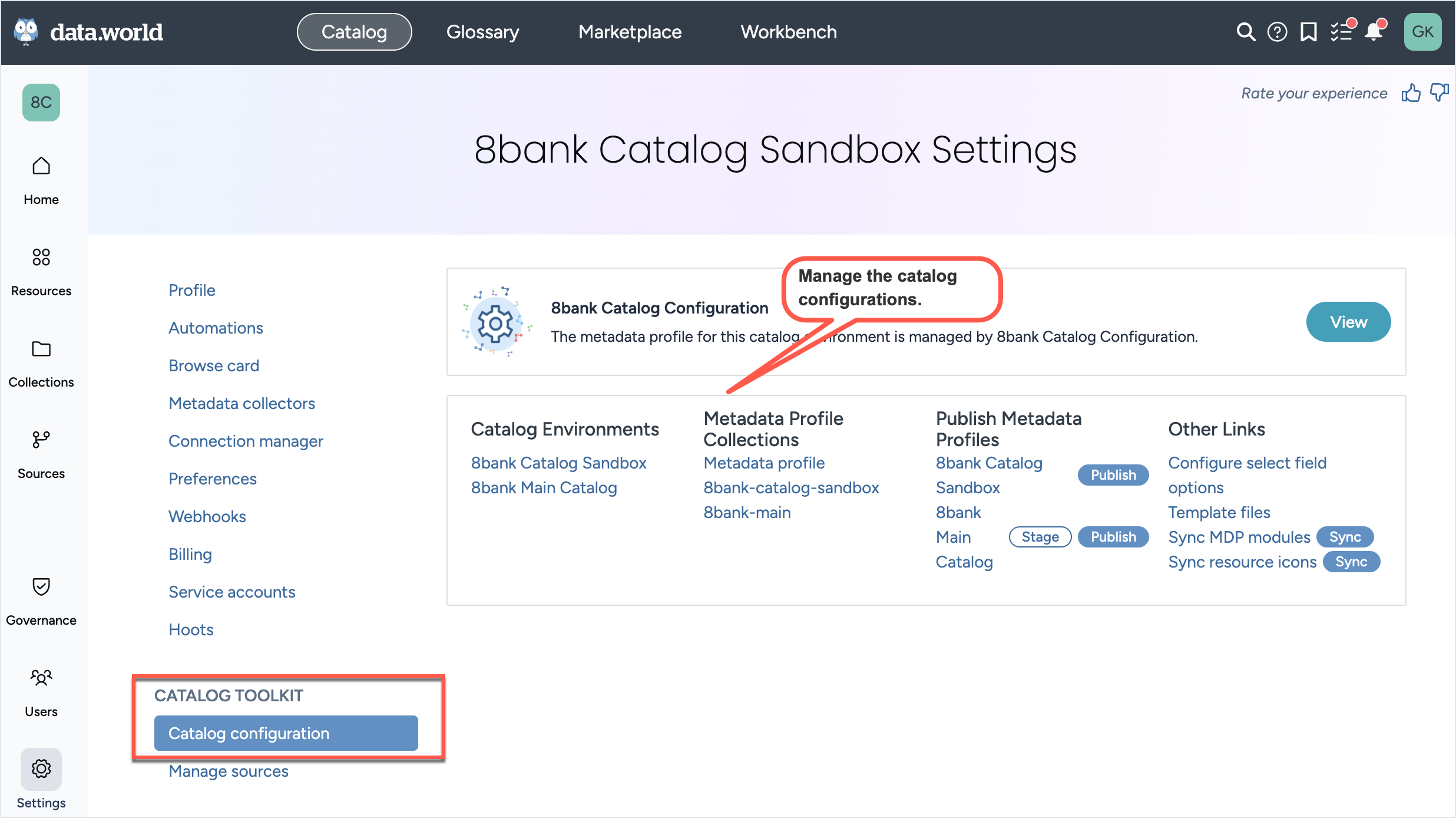
Click the View button to browse to the Catalog Configuration organization.
From the Catalog environments list, click the organization name to open the Sandbox or Main organization.
From the Metadata profile collections list, browse to the Metadata profiles collection for the Catalog Configuration, Main or Sandbox organization.
From the Publish metadata profiles list, click the Publish links to quickly publish updates to the Sandbox and Main organizations.
The Other links list provides links to additional resources such as Configure select field options, Template files, Sync MDP modules, and Sync resource icons.
On the Settings page, in the Manage sources section, access the following quick links to access and configure metadata collector settings:
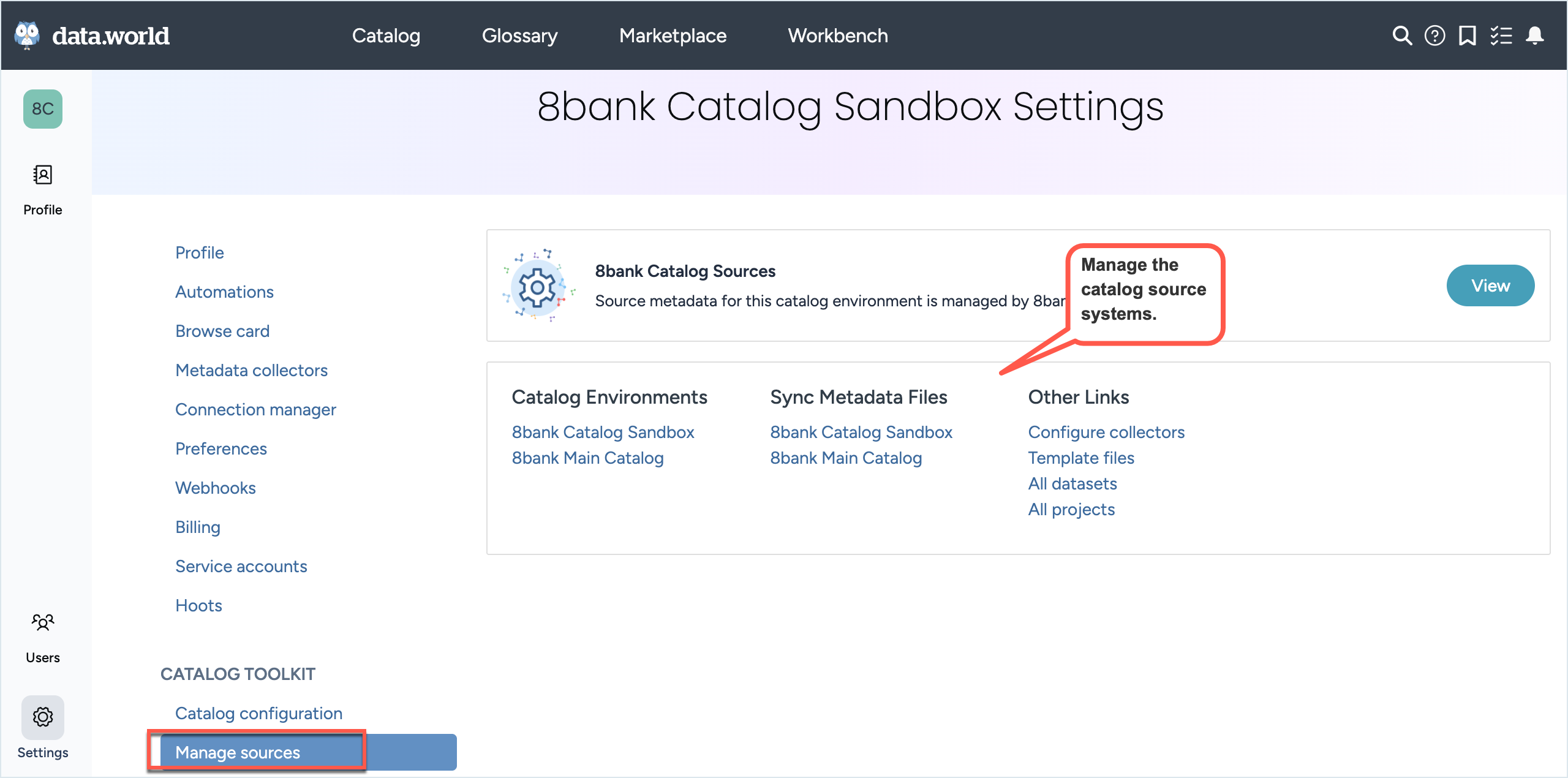
Click the View button to open the Catalog Sources organization.
From the Catalog environments, click the organization names to open the Sandbox or Main organization.
From the Sync metadata files list, browse to the relevant environment to view or update synced metadata files.
The Other links list provides useful links to collector resources such as Configure collectors, Template files, All datasets, and All projects.