About the Migration Portal
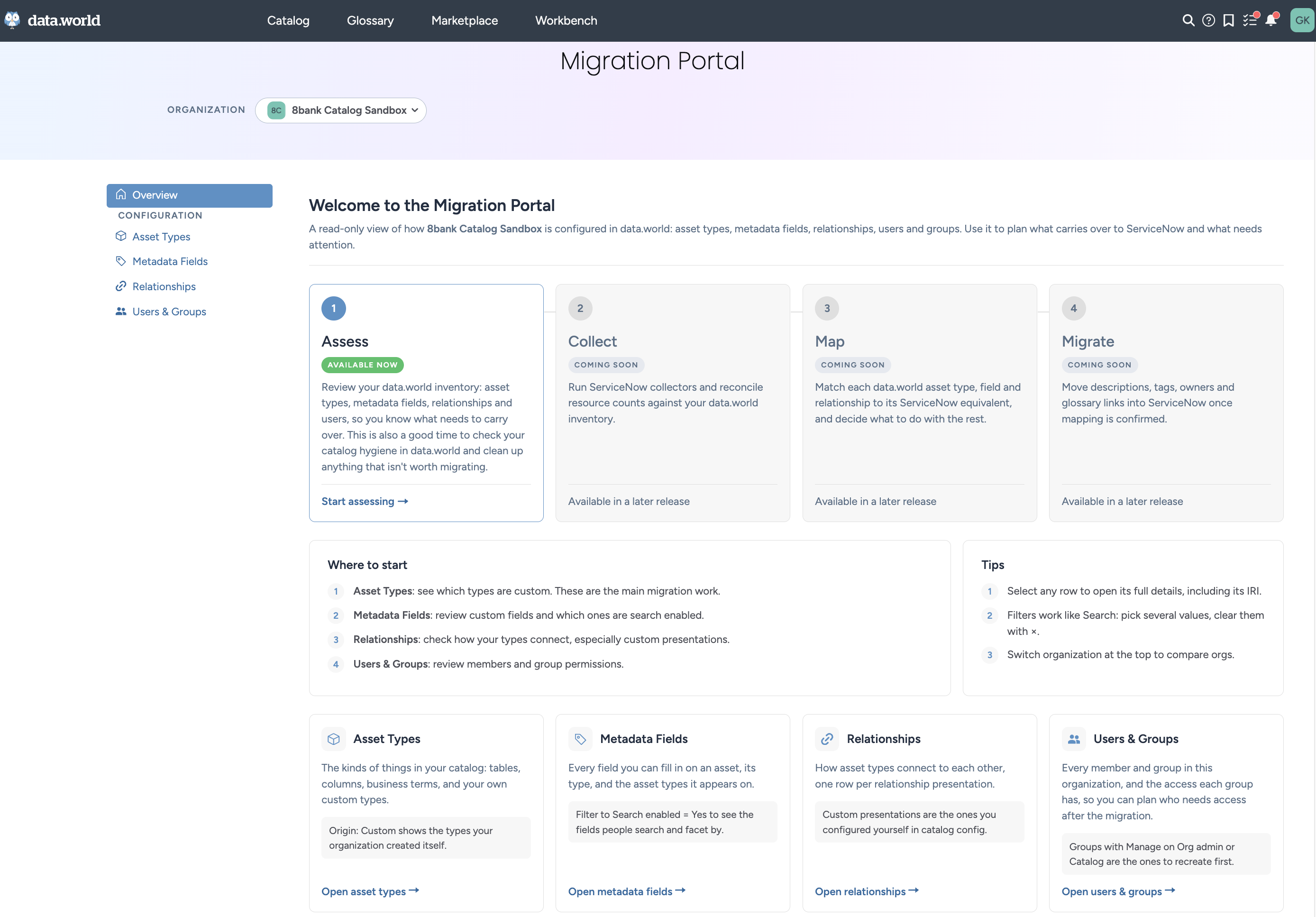
The Migration Portal gives you a read-only view of how your organization is configured in data.world. It lists your asset types, metadata fields, relationships, users, and groups, so you can see what you have built before you migrate to ServiceNow.
Use the portal to assess your data.world catalog and confirm that everything in it is what you want to migrate to ServiceNow. If you see unwanted or unused custom types, fields, relationships, or user groups, now is the time to clean them up. In the next phases of the portal, the portal will connect to your ServiceNow instance so that you can compare and map the two catalogs before initiating the migration. It shows which asset types, fields, and relationship presentations are custom, meaning your organization created them, and which come with data.world.
You review information in the portal. You don't change anything from it.
What the portal shows
Overview: A summary of each area with counts, a short list of where to start, and key terms.
Asset Types: The kinds of things in your catalog, such as tables, columns, business terms, and your own custom types.
Metadata Fields: The fields people fill in on an asset, their types, and the asset types they appear on.
Relationships: How asset types connect to each other, with one row for each relationship presentation.
Users & Groups: Every member and group in the organization, the access each group has, and who has access to each collection.
About organizations in the Migration Portal
The Migration Portal shows the configuration of one organization at a time. Use the organization list at the top of every page to choose which organization you review.
The list includes your catalog environment organizations and your catalog sandbox organizations. Most customers see two: their main organization and their sandbox. Other organization types, such as catalog configuration, don't appear.
Choose the organization that matches what you plan to migrate. To review the configuration that your users work with every day, choose your main organization. You can switch organizations at any time to compare them. The portal remembers your last selection. The first time you open it, the portal selects the first organization in the list.
Key terms
The Migration Portal uses the following terms.
Term | Description |
|---|---|
Origin | Where an asset type, field, or presentation comes from. OOTB items come with data.world. Custom items were created by your organization. |
Module | The collector or feature that brings a type or field in, such as Snowflake, Databricks, or Power BI. |
MDP configuration | The metadata profile settings that control how a type and its fields are displayed. |
Presentation | A relationship as configured in catalog config: a name, a predicate, and the types it connects. |
Search enabled | The field is indexed, so people can search and facet by it. |
IRI | The unique identifier for a type, field, or presentation. The IRI appears in each details view. |